
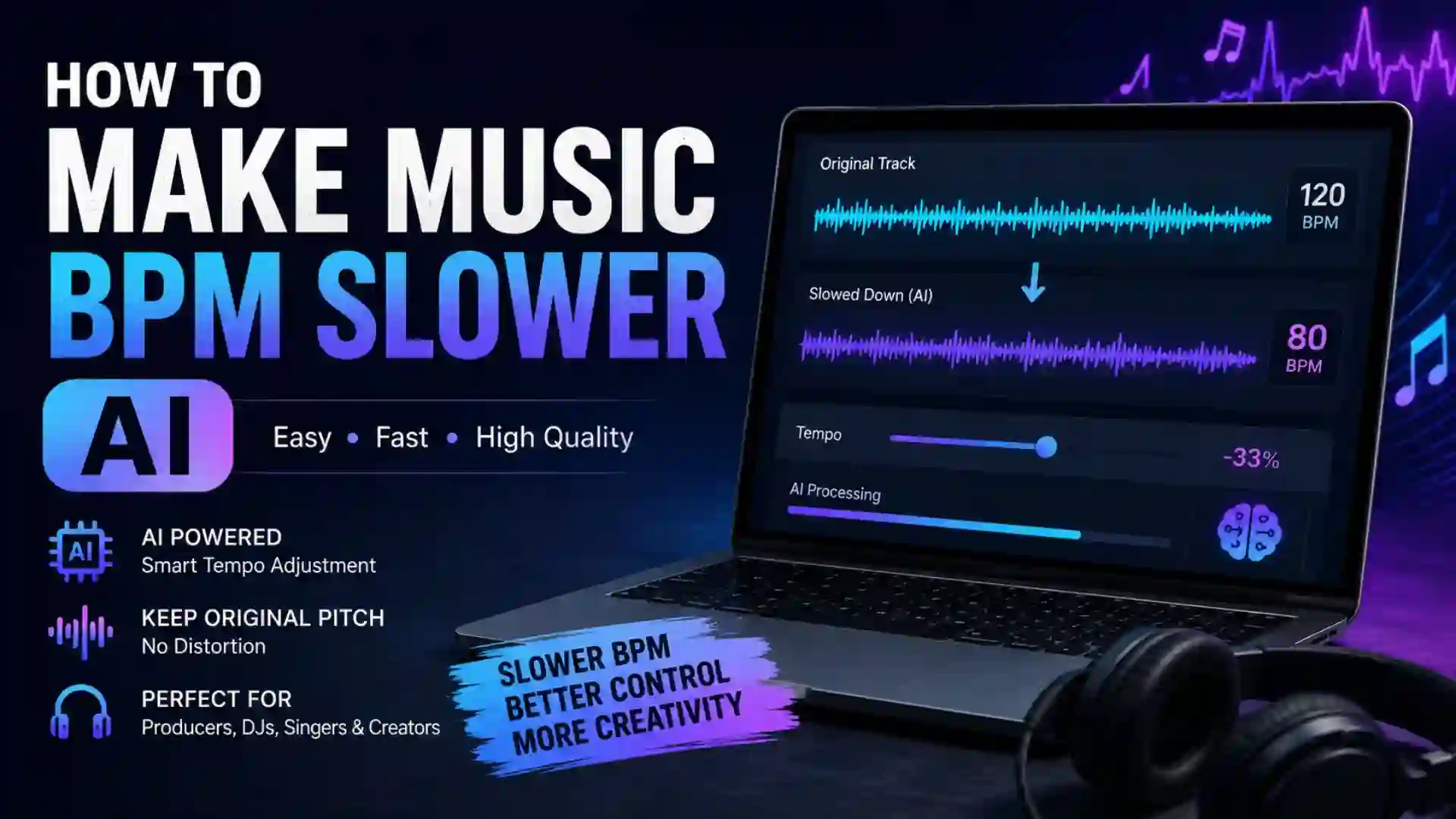
How to Make Music BPM Slower AI? Music production has changed dramatically with the rise of artificial intelligence. Tasks that once required expensive studio equipment and advanced editing knowledge can now be completed using AI-powered tools in just a few clicks. One of the most popular uses of AI in audio editing is slowing down the BPM of music tracks while maintaining sound quality.
Whether you are a music producer, DJ, content creator, dance instructor, singer, or casual listener, slowing down the BPM of a song can help you create remixes, practice instruments, improve vocal training, or produce cinematic effects. AI technology now allows users to reduce tempo without causing major distortion, pitch damage, or audio artifacts.
In this detailed guide, you will learn how to make music BPM slower using AI tools, how AI tempo-changing technology works, the best software and platforms available, step-by-step methods, practical use cases, common mistakes, and advanced tips for professional-quality results.
What Does BPM Mean in Music?
BPM stands for Beats Per Minute. It measures the speed or tempo of a song. A higher BPM means faster music, while a lower BPM means slower music.
Examples:
| Music Style | Average BPM |
|---|---|
| Ballad | 60–90 BPM |
| Pop Music | 100–130 BPM |
| EDM | 120–150 BPM |
| Hip-Hop | 80–110 BPM |
| Trap | 130–170 BPM |
| Classical | 60–120 BPM |
When you slow down BPM, the song becomes more relaxed, emotional, cinematic, or easier to practice with.
Why People Slow Down Music BPM?
There are many reasons users want to slow music using AI technology.
Music Practice
Musicians often slow songs to learn difficult solos, drum patterns, or vocal runs.
Remix Creation
Producers slow tracks for lo-fi remixes, chill edits, vaporwave versions, or cinematic transformations.
Dance Training
Dance instructors use slower BPM versions for beginners.
Content Creation
YouTubers and video creators use slowed tracks for emotional storytelling or background music.
Meditation and Relaxation
Slower music creates calming and atmospheric listening experiences.
Language Learning
Slowed audio helps improve pronunciation and listening comprehension.
How AI Changes Music BPM?
Traditional tempo editing methods often reduce audio quality. Earlier software sometimes caused:
- Robotic sounds
- Pitch distortion
- Echo artifacts
- Audio tearing
- Loss of clarity
AI-powered BPM slowing tools solve these problems using machine learning algorithms.
AI Audio Processing
Modern AI tools analyze:
- Instrument separation
- Vocal frequencies
- Rhythm patterns
- Waveform structure
- Harmonic elements
The AI intelligently reconstructs the audio at a slower speed while preserving clarity.
Time-Stretching Technology
AI uses advanced time-stretching algorithms that change tempo independently from pitch.
For example:
- Old method: slower tempo = deeper pitch
- AI method: slower tempo while keeping original key intact
This makes music sound natural even after large tempo changes.
Difference Between Slowing BPM and Lowering Pitch
Many beginners confuse tempo and pitch.
| Feature | BPM Slowing | Pitch Lowering |
|---|---|---|
| Changes speed | Yes | No |
| Changes musical key | No | Yes |
| Makes song slower | Yes | Sometimes perceived |
| AI can preserve quality | Yes | Yes |
Some creators intentionally combine both effects to create “slowed and reverb” music styles popular on streaming platforms.
Best AI Tools to Slow Down Music BPM
Here are some popular AI-powered tools and software for slowing music tempo.
| Tool Name | Platform | Key Features | Best For |
|---|---|---|---|
| Audacity | Windows/Mac/Linux | Tempo change without pitch shift | Beginners |
| Adobe Audition | Windows/Mac | Professional AI audio editing | Professionals |
| FL Studio | Windows/Mac | Advanced music production | Producers |
| Ableton Live | Windows/Mac | Real-time tempo warping | DJs |
| Logic Pro | Mac | AI-assisted audio editing | Mac users |
| Moises AI | Web/Mobile | Vocal and instrument separation | Practice sessions |
| Lalal.ai | Web | Stem separation and tempo editing | Remix creators |
| DJ Studio AI | Web/Desktop | AI beat matching | DJs |
| Music Speed Changer | Mobile | Quick BPM editing | Casual users |
| CapCut AI Audio | Mobile/Desktop | AI video and music editing | Content creators |
Step-by-Step Guide to Slow Down Music BPM Using AI
Method 1: Using Audacity
Audacity is one of the easiest free tools for slowing BPM.
Step 1: Install Audacity
Download and install the software on your computer.
Step 2: Import Music File
Open your song in the editor.
Supported formats include:
- MP3
- WAV
- FLAC
- OGG
Step 3: Select the Audio
Highlight the entire track.
Step 4: Open Tempo Effect
Go to:
Effect → Change Tempo
Step 5: Reduce BPM
Lower the tempo percentage.
Examples:
- -10% = slightly slower
- -25% = moderate slowdown
- -50% = dramatic slowdown
Step 6: Preview Audio
Use the preview button to hear changes.
Step 7: Export Final File
Save the edited track in your desired format.
Method 2: Using AI Web Tools
Online AI platforms make BPM slowing easier for beginners.
Upload Your Audio
Choose your music file.
AI Analysis
The AI automatically detects:
- BPM
- Key
- Rhythm
- Vocals
- Instruments
Adjust Tempo Slider
Move the slider to slow the song.
Optional Enhancements
Many AI platforms also offer:
- Noise reduction
- Reverb
- Vocal isolation
- Instrument removal
- Audio mastering
Download Processed Track
Export the final version instantly.
Method 3: Slowing Music in FL Studio
FL Studio is widely used by producers.
Open Playlist
Import the audio track.
Time Stretching
Enable stretch mode.
Adjust BPM
Use the tempo controls or stretch markers.
AI Audio Enhancement
FL Studio uses advanced algorithms to maintain quality.
Export Audio
Render the final mix.
How Much Should You Slow the BPM?
The ideal slowdown depends on your goal.
| Purpose | Recommended BPM Reduction |
|---|---|
| Instrument practice | 10–25% |
| Dance rehearsal | 15–30% |
| Lo-fi remix | 20–40% |
| Cinematic mood | 30–50% |
| Meditation audio | 40–60% |
Extreme slowdown may still introduce artifacts even with AI tools.
AI Features That Improve Slow BPM Music
Vocal Preservation
AI keeps vocals clear during tempo changes.
Drum Recognition
Percussion remains synchronized and sharp.
Harmonic Reconstruction
AI rebuilds frequencies to avoid muffled audio.
Stem Separation
Some tools isolate instruments before slowing them individually.
Smart Mastering
AI automatically balances volume after tempo adjustments.
Slowed and Reverb Music Trend
The slowed and reverb style became extremely popular online.
This style usually includes:
- Reduced BPM
- Added reverb
- Deeper atmosphere
- Emotional tone
- Extended vocal trails
AI tools now automate this entire process.
Common Problems When Slowing Music
Audio Distortion
Too much slowdown can damage sound quality.
Muddy Bass
Low frequencies may become overpowering.
Vocal Warping
Improper settings can stretch vocals unnaturally.
Timing Errors
Beat alignment issues may appear in older software.
File Compression Issues
Low-quality MP3 files worsen after editing.
Tips for Better Results
Use High-Quality Source Audio
WAV or FLAC files produce cleaner results than compressed MP3s.
Avoid Extreme Slowdown
Moderate tempo reductions sound more natural.
Use AI Stem Separation
Editing isolated tracks improves clarity.
Add Light Reverb Carefully
Too much reverb can muddy the mix.
Master the Final Audio
AI mastering tools improve loudness and balance.
AI Music Slowing for DJs
DJs often slow BPM to create smoother transitions between tracks.
Benefits include:
- Better beat matching
- Genre blending
- Live remixing
- Creative mashups
AI DJ software can automatically calculate BPM compatibility.
AI BPM Slowing for YouTube Creators
Content creators use slowed music for:
- Cinematic edits
- Travel videos
- Motivational content
- Gaming montages
- Storytelling videos
AI helps creators process tracks quickly without professional editing knowledge.
AI BPM Slowing for Singers
Singers slow tracks to:
- Learn difficult melodies
- Practice breathing control
- Improve pronunciation
- Train vocal timing
AI tools allow looping specific sections for repeated practice.
Mobile Apps for Slowing Music BPM
Several mobile apps support AI tempo editing.
Android Apps
- Music Speed Changer
- AudioStretch
- Lexis Audio Editor
- BandLab
iPhone Apps
- GarageBand
- Amazing Slow Downer
- Moises
- Tempo SlowMo
These apps are ideal for portable editing and practice.
AI and Real-Time BPM Slowing
Modern AI software can slow music in real time.
Examples include:
- DJ performances
- Live instrument training
- Karaoke sessions
- Dance rehearsals
Real-time AI processing minimizes latency while preserving sound quality.
Can AI Slow Music Without Affecting Pitch?
Yes. Most modern AI tools separate tempo and pitch processing.
This means:
- Song stays in the same musical key
- Vocals sound natural
- Instruments retain tonal accuracy
This feature is essential for professional editing.
AI Stem Separation and BPM Editing
One major advancement in AI audio technology is stem separation.
AI can isolate:
- Vocals
- Drums
- Bass
- Piano
- Guitar
You can slow only selected stems while keeping others unchanged.
Example:
- Slow vocals for practice
- Keep drums at original tempo
This provides advanced remixing flexibility.
AI BPM Slowing for Lo-Fi Production
Lo-fi producers frequently slow music to create:
- Warm atmosphere
- Emotional mood
- Nostalgic tone
- Relaxing vibes
Common additions include:
- Vinyl crackle
- Tape saturation
- Reverb
- Background ambience
AI simplifies this workflow dramatically.
Legal Considerations
When slowing copyrighted music, remember:
Personal Use
Usually acceptable for practice or private listening.
Commercial Use
Requires permission or licensing.
Uploading to Streaming Platforms
Copyright systems may still detect altered tracks.
Always follow copyright laws before distributing edited music.
Future of AI Music Tempo Editing
AI music technology is evolving rapidly.
Future advancements may include:
- Automatic mood adaptation
- AI-generated remixes
- Emotion-aware tempo control
- Real-time cinematic transformations
- Fully automated mastering
AI is becoming an essential tool for modern music production.
Important Links and Information
| Category | Information |
|---|---|
| Main Purpose | Slow down music tempo using AI |
| Common File Formats | MP3, WAV, FLAC, OGG |
| Best Free Tool | Audacity |
| Best Professional Tool | Adobe Audition |
| Best Mobile App | Moises AI |
| Best for DJs | Ableton Live |
| Best for Producers | FL Studio |
| Key AI Feature | Tempo change without pitch distortion |
| Recommended Slowdown | 10–40% |
| Advanced Feature | Stem separation |
| Common Problem | Audio artifacts |
| Best Audio Quality | WAV or FLAC |
| Popular Style | Slowed and reverb |
| Typical Users | DJs, singers, producers, creators |
| Export Formats | MP3, WAV, AAC |
| Real-Time Editing | Supported in modern AI tools |
| Internet Requirement | Depends on platform |
| Skill Level Needed | Beginner to advanced |
Advanced Techniques for Professional Results
Layering Ambient Effects
After slowing BPM, producers often add:
- Pads
- Atmosphere
- Noise textures
- Delays
This creates cinematic depth.
EQ Adjustments
Slower music sometimes becomes bass-heavy.
Use EQ to:
- Reduce muddy frequencies
- Enhance vocal clarity
- Improve instrument separation
Stereo Enhancement
AI mastering tools can widen stereo imaging for immersive sound.
Dynamic Compression
Compression balances loud and soft sections after tempo editing.
Best Settings for Different Genres
| Genre | Suggested BPM Reduction |
|---|---|
| Pop | 10–20% |
| Hip-Hop | 15–30% |
| EDM | 10–25% |
| Classical | 5–15% |
| Rock | 10–20% |
| Lo-Fi | 25–40% |
| Jazz | 10–15% |
FAQ about How to Make Music BPM Slower AI
What is the best AI tool for slowing music BPM?
Moises AI, Audacity, FL Studio, and Adobe Audition are among the best options depending on your experience level and editing needs.
Can AI slow music without changing pitch?
Yes. Modern AI tools use advanced time-stretching algorithms that preserve pitch while reducing tempo.
Is slowing music BPM free?
Some tools like Audacity are completely free, while advanced AI platforms may require subscriptions.
Does slowing music reduce quality?
Minimal quality loss occurs with modern AI software, especially when using high-quality source files.
Can I slow music on my phone?
Yes. Many Android and iPhone apps support AI-powered BPM adjustment.
What audio format is best for BPM editing?
WAV and FLAC formats provide the best results because they contain more audio data than MP3 files.
How much should I slow a song?
Most users reduce tempo by 10–40% depending on their goal.
Can DJs use AI BPM slowing live?
Yes. Modern DJ software supports real-time tempo adjustment with AI assistance.
Is slowed and reverb music made with AI?
Many creators now use AI tools to automate slowed and reverb processing.
Can AI separate vocals before slowing music?
Yes. Advanced AI platforms can isolate stems like vocals, drums, and instruments individually.
Conclusion
AI has completely transformed the process of slowing music BPM. What once required professional studio knowledge can now be achieved with beginner-friendly software and intelligent automation. Whether you want to create lo-fi remixes, practice instruments, edit cinematic videos, improve dance rehearsals, or experiment with creative audio production, AI-powered tempo editing tools make the process faster, cleaner, and more accessible.
Modern AI systems preserve pitch, reduce distortion, separate stems, and even master the final audio automatically. From free desktop software like Audacity to advanced professional platforms like FL Studio and Adobe Audition, users now have countless options for high-quality BPM slowing.
As AI audio technology continues evolving, music editing will become even more intelligent, real-time, and personalized. Learning how to slow music BPM using AI is now an essential skill for creators, producers, and audio enthusiasts in the modern digital music landscape.